
Payment instructions
VNPAY Payment Gateway is a payment solution developed by Vietnam Payment Solution Joint Stock Company (VNPAY). Customers use bank cards/accounts, the QR Pay/VNPAY-QR feature integrated into banks' Mobile Banking applications or linked e-wallets to make transactions and enter discount codes (if any).
Scan VNPAY-QR codes on 35+ Mobile Banking Apps and 15+ linked E-wallets
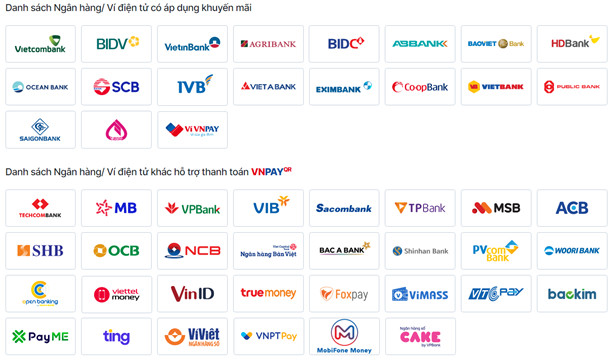
40+ ATM/domestic cards/bank accounts

4 International payment cards

VNPAY payment methods

1. Payment method via "Payment application supporting VNPAY-QR"
Step 1: Please select your product, service, and choose "Pay now" or "Order now."
On the payment page, please review your ordered products, fill in all recipient information, select VNPAY as the payment method, and click "Order now."
Step 2: The payment screen will switch to the VNPAY payment gateway interface. Select the "Payment application supporting VNPAY-QR" method.
Step 3: The system will display a QR code along with the amount due. Please verify this amount. Use your banking application (from the listed banks), select "Scan Code," and proceed to scan the QR code on the website's payment screen.
*Note: The QR code is valid for 15 minutes.
To ensure successful payment, customers are advised to familiarize themselves with the conditions and steps for scanning the code on their phone in advance to avoid timeout issues that could affect payment and discount codes.
Step 4: Check the information, enter the discount code (if any), and complete the payment.
Upon successful payment, you will receive an order confirmation notification on the website.
 Instructions for payment via QR Pay/VNPAY-QR feature
2. Payment method via "Domestic card and bank account"
Step 1: Please select your product, service, and choose "Pay now" or "Order now."
On the payment page, please review your ordered products, fill in all recipient information, select VNPAY as the payment method, and click "Order now."
Step 2: The payment screen will switch to the VNPAY payment gateway interface. Select the "Domestic card and bank account" method and choose the bank you wish to pay with from the list.
Step 3: Please enter your card/account information as requested and select "Continue." An OTP will be sent to your registered phone; enter the OTP to complete the transaction.
*Note: The transaction will expire after 15 minutes.
Step 4: Upon successful payment, you will receive an order confirmation notification on the website.

Payment interface via "Domestic card and bank account"
3. Payment method via "International payment card (Visa, MasterCard, JCB, UnionPay)"
Similar to the "Domestic card and bank account" payment method.
4. Payment method via "VNPAY e-wallet"
Similar to the "Payment application supporting VNPAY-QR" payment method.
———————
SUPPORT CHANNELS
– Hotline: *3388 or 1900 55 55 77
– Zalo OA: zalo.me/4134983655549474109
– Email: hotro@vnpay.vn
– Fanpage: facebook.com/VNPAYQR.vn